Other Views: By Month | By Category | By Tag Cloud
AngularJS - Communicating Between Parent And Child Scopes
Note: This post applies to AngularJS. The 1.x version of Angular. AngularJS has been end of life at of 12/31/2021.
Here is a quick tip in Angular on how to communicate between parent and child scopes.
If you have a need to send notification of an event from a parent scope to a child scope, you use $scope.$broadcast to send the event.
$scope.$broadcast("parent event name", dataTo Send);
If you then need to send notification of an event from the child scope back to the parent scope you use $scope.$emit
AngularJS In Action Book Review
Note: This post applies to AngularJS. The 1.x version of Angular. AngularJS has been end of life at of 12/31/2021.
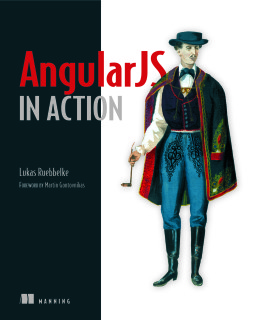 At the HolidayJs event I won a book and I picked a copy of Angular In Action by Lukas Ruebbelke. I had already been using Angular for a few projects and wasn’t expecting to get much out of the book. Honestly I got it to use as more of a give away at one of my talks but figured I would at least glance through a few chapters of it first. Needless to say I ended up reading the whole book and plan to keep it.
Ionic - Stop Icons from Overlapping in Ion List
Today I ran into an issue using Ionic, where I was trying to put two icons on the right side of an ion list item. There is really easy to do with the item-icon-right css class. Unfortunately, when you have multiple icons, it overlaps instead of showing them side by side. I was not expecting this as I had only used 1 icon before and assumed that item-icon-right would just put them side by side.
Preparing A Conference Talk
I have done a bunch of conference talks and brown bag sessions this year (~45 in the past 2 years) and here is how I prepare for those talks. Sorry that the reply is a little long but I wanted to make sure you had a process to get started with. Remember that this is my process and you have to find what works best for you.
There is no set time for how long each phase takes. It all depends on the presentation and the length of it. I have had talks where I spent several weeks working on it while other talks were done in less than a day.
AngularJS - Calling Service Methods from Console
Note: This post applies to AngularJS. The 1.x version of Angular. AngularJS has been end of life at of 12/31/2021.
Here is a quick tip for how you can run your Angular service and factory methods within the Chrome Dev Tools console. No longer will you have to go through the process of navigating through the UI to trigger a Service/Factory method to run. Now you can just load up the web site and do all of your debugging through the Chrome console.
2015 Year In Review
2015 was a great year with lots of new adventures. I did a bunch of travelling, started a new position at work, competed in my first hackathon (and win), and started a couple of meetups. At the beginning of 2015 I set a few goals for myself:
- Speak at more events
- Start blogging again
- Be more active in my local dev community
Speaking
I spoke at a good amount of events this year considering this was my first year putting myself out there. I found that I really love presenting and helping people.
Ionic - Using Local Notifications
When you are creating a mobile applications there are times where you need to notify users about something such as an upcoming appointment. If the application is running and the user is using it in the foreground, this is easy to accomplish. However, if the application is running in the background this can be a challenging task. You could do push notifications but that takes a decent amount of work to setup with both iOS and Android app stores. If all you need to do is alert them on their local device you can just use the cordova local notification plugin and skip the headache of setting up push notifications.
Running Gulp Task in Visual Studio
When I am working in an code editor such as Visual Studio, I do not want to have to have to leave the editor to run command line programs such as Gulp task. I want to be able to run the gulp task right from instead the editor. Starting with Visual Studio 2013, you could do this with the Task Runner Explorer extension. Microsoft then integrated the Task Runner Explorer into Visual Studio 2015 so you no longer have to install an extension.
Strongloop - Fixing Security When Extending User Model
After following Raymond Camden’s Strongloop Introduction, I was ready to update the todo demo application that I have been using for the Ionic Arizona Meetup. So I created a models for projects and app users. The app users model base class was User. Then within the project model I associated a project to an app users with a belongsTo and in the app users model I associated multiple projects to a single user with a hasMany. At this point, when I examined the API explorer I could see that it can me a rest endpoint to get the projects associated to a user. However, I ran into an issue with getting 401 Unauthorized errors when I tried to query any of the rest endpoints to get the projects associated to the user.
Installing Gulp 4.x
Gulp 4 is not released yet but if you have a need to install it here is how to do it. I will cover how to globally install it as well as how to update your package.json for your projects.
Globally Installing Gulp
The first thing we need to do is install the Gulp command line to be able to run the gulp task.
Open a Command Prompt (Windows) or Terminal (Mac or Linux)