Other Views: By Month | By Category | By Tag Cloud
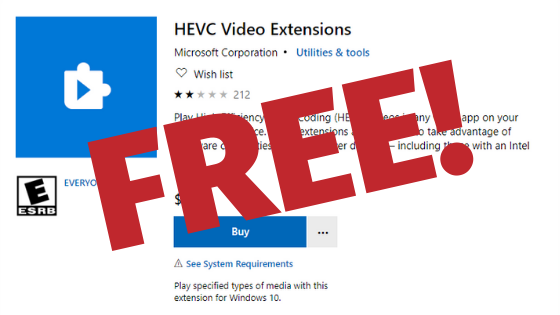
Solved: Windows 10 Errors When Trying to Watch Video with HEVC Extension Not Found
WTF! Why Can’t I Play My Video
So you tried to watch an mp4 video in Windows 10 and it threw an error at you that “To play this video, you need a new codec, HEVC Video Extensions and they want you to pay $0.99 for it. If you are like me, you are wondering what the heck is the HEVC Video Extensions and why all of a sudden do I need it to watch an mp4.

You Need Code Coverage
Welcome to the start of my series on code coverage. In this article we are going to talk about why you need code coverage reports and then in future articles implement the reports in our Angular based UI and ASP.NET Core based API.
For years, I pushed back against implementing code coverage on my projects and I am here to say that I was wrong. In the past everytime someone tried to implement code coverage on my projects or suggested it, all they cared about was the percent of code coverage. Code coverage for just the sake of code coverage doesn’t create high quality tests or products, it just creates tests to increase code coverage. When code coverage is used to drive the priority of what to test, used to validate that the tests actually covered the lines of code you thought it covered and catching times when you add more code than test code.

Stop The Zoom Trolls and Prevent Zoombombing
Are you thinking about running a public meeting using Zoom or are running a public meeting using Zoom? Then you need to prepare for the Zoom Trolls to show up who want nothing more then to force you to end your meeting early. Our goal today is to limit the amount of damage that a troll can do to your meeting to almost nothing while still allow your community to network and grow.
If you think that a Zoom Troll won’t find your meeting, think again. There are already programs available to generate Zoom meeting numbers and auto join those meeting. So it is just a matter of time before they find your meeting. These Zoom Trolls have become such an issue that even the FBI is warning people about. When a Zoom Troll joins your meeting they cause disruptions by sharing porn that is on their screen, draw on the screen using the annotation feature, unmute themselves to talk over the presenter using inappropriate/offensive language and bring inappropriate on camera.
We can easily minimize the ability of a Zoom Troll to cause any damage to your meeting using the Zoom settings below.
Git: Clone Branch to New Repo without History
For my Angular workshop repository I wanted to clone the final branch without any history to a new repository so that I could try out some different technologies but I didn’t want to polute the workshop repository.
Luckily, we can do this using the git clone command.
Command
Here is the basic command. Replace “Branch Name” with the name of your branch, “Git Repo” with the url to your Git repository, and “Folder Name” to the directory that you want to clone the branch into.
Which RxJS Operators to use in your NgRx Effects
When creating NgRx effects you need to decide which RxJS operators to use. There are a lot of RxJS operators but the ones that we are going to use are: mergeMap, concatMap, exhaustMap, and switchMap. Each of these have recommended use cases in order to avoid race conditions.
Operator Explanation
Before we look at when to use each of the operators, lets look at what each of the operators does.
Download .gitignore with a .NET CLI Global Tool
If you are using Git as your version control system, you need a .gitignore file to keep all of those user specific files out of Git like the bin/obj directories. You could manually create and configure the .gitignore file but why do it yourself when others have already done it for you. A quick search and you will run across the gitignore repo where you could download a premade file but what about if you had a tool to do this for you?
Dotnet CLI Global Tools Are Awesome!
With the release of .NET Core 2.1 the .NET Core CLI includes a feature called Global Tools that provides a simple way to create and share cross-platform console tools.
When you install a global tool, the CLI will download a special NuGet package that contains a console application and make your console tool available as a new command from the command line.
Note: You will need to download .NET Core 2.1 to use this to try this on your own.
How to Download and Extract a Zip File with Node
Downloading and extracting a zip file using Node seemed like a pretty easy task but alas it took some time to figure out.
While researching how to do this, I didn’t find a library that had all of the requirements within it but I did find a few that allowed me to meet the requirements
Requirements
- Download zip file from a url
- Extract zip file to a directory location
- Extract a single directory and all of its sub-directories within the zip file
Downloading the Zip File
Step 1 was to get the zip file downloaded using Node and make sure that I could manually open it. To download the zip file, I am using the superagent package and piping the download to a file using fs.
How I Record My Conference Talks
When I got started as a conference speaker I would see Jeremy Clark recording his talks and I thought I should record my talks too. It would help me improve as a speaker by seeing how I actually was on stage versus how I think I was. As well, it gives attendees the ability to watch a replay of the talk in case they missed something or weren’t able to see it. This is assuming though that the recordings are posted somewhere and advertised to the attendees, which I used to be really bad about. It was difficult for a long time for me to watch myself giving a talk.
AngularJS - Why is there an ! in my url now?
Note: This post applies to AngularJS. The 1.x version of Angular. AngularJS has been end of life at of 12/31/2021.
Recently, I upgraded one of my apps to AngularJS 1.6 along with a bunch of other changes and a bunch of my routes broke. Unfortunately, I didn’t catch the routing issue before making a bunch of other changes. The one thing I noticed for all of the broken routes is the urls now had an #! (https://myapp.com/#!/) in them instead of just the # (https://myapp.com/#/). I thought maybe I had done something in one of my changes. Low and behold though, it was not something I did but was a breaking change in AngularJS 1.6 per the AngularJS version migration guide. Thankfully the fix to revert the functionality to the previous version of AngularJS was really easy.